Tuesday, 13 December 2011

Photoshop Filter

To get the effect on lots of the pictures we are considering using in the Digipak we used a filter setting, below is the way we did this:

1. Put a picture into Photoshop

2. Choose A Filter to put over it

3. You have a different style of image

4. Add Titles and any other Graphics

This is a simple version of one we could use. Extra graphics would be added to it and it would then have a slick professional feel and it would be a good insert for the Digipak.


Monday, 12 December 2011

DigiPack Ideas (using Photoshop)


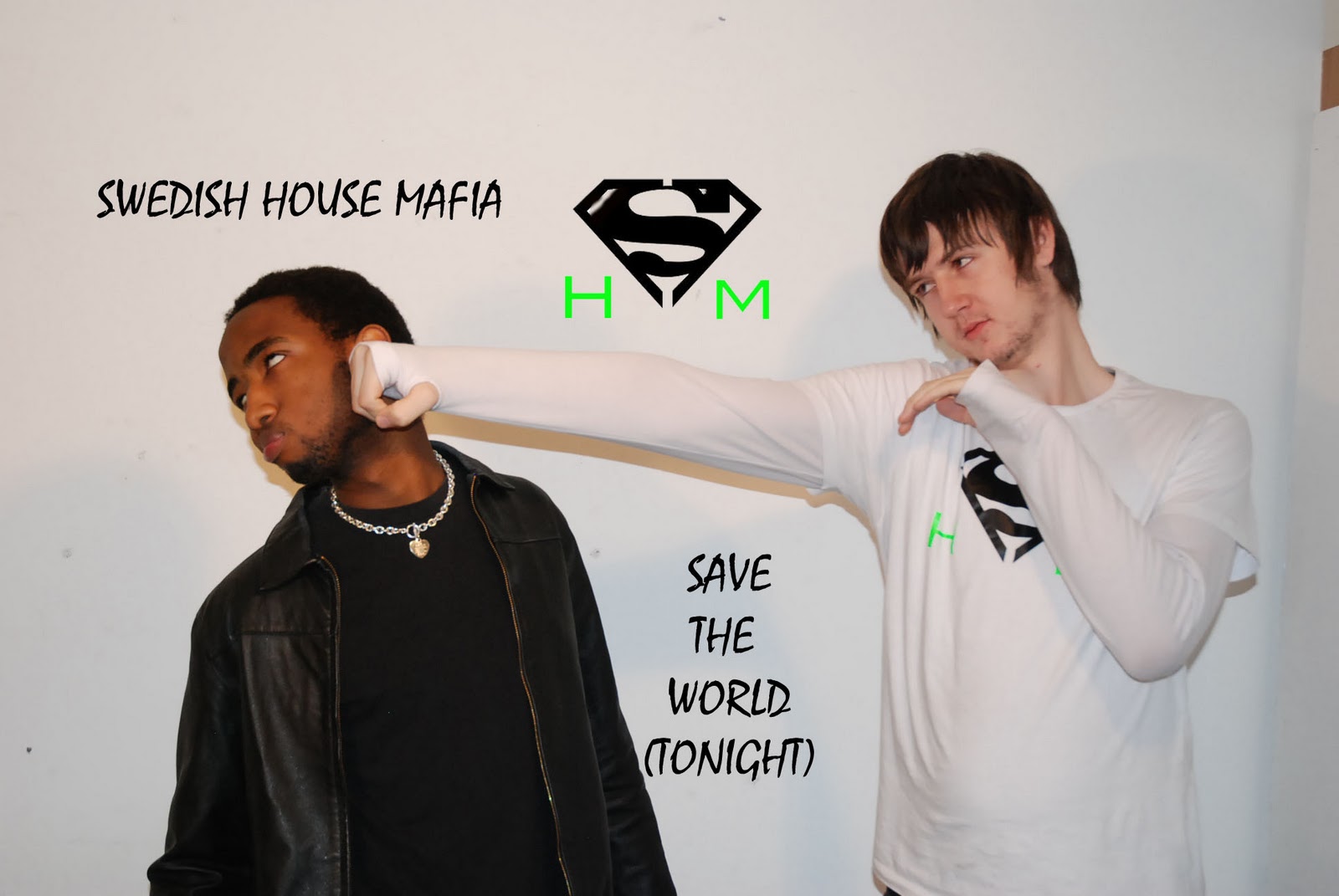
These are some of the ideas that we as a group have had. These are images that could be used on either the actual Digipak, on the CD or as part of a poster or lyrics booklet. They are all shots from a photo shoot that we did with two of the main characters from the music video. The superhero and the criminal from one of the scenes. They have been created using a filter which is available on Photoshop and in some cases using paintbrush/ similar tools to change colours. We have tried to continue with a white, black and green theme, which is the main colour of the hero in the video.

Tuesday, 15 November 2011

Effects For Video


These are the three effects that we will aim to use on the video. Using these will get rid of the need for actual violence and can make the video more accessible for more people. We can use these effects to replace actual hits and can make it seem like a comic book. This is an effect we had looked at and it means that we can stick to our non-reality style of video and make it look as though the main character is in a fantasy land, where he is a superhero.

Editing Interface and Techniques

This is the typical interface used when editing the clips recorded, with a specific set-up being used throughout to allow smooth and efficient editing, and enable quick development of skills in Final Cut. The typical setup (as shown in the image) goes as follows:

  • All recording 'sessions' to be separate and readily available in the top-left of Final Cut, allowing quick access to cut and edit as needed (using the middle screen).
  • Middle screen to allow playback of fully recorded clip sessions and break it down into clips as needed, using the 'in and out' tool. 
  • The right screen showing a preview of how the actual 'final' product looks.
  • The track timeline remains at the bottom, with the music track remaining locked throughout (apart from introduction) to prevent accidental change. Video track(s) to be above with the ability to freely move and edit.
Main Tools Used while Editing

Speed/Slow-Motion


The 'Speed...' tool is used in Final Cut to slow down or speed up specific clips once added to the timeline. We have used this tool as a way of achieving the desired slow-motion effect throughout the video, and also used the tool to allow easier management of clip timing.

'In and Out' Tool


The 'in and out' feature of Final Cut is a vital part of our editing, allowing the clips recorded in a constant flow to be broken up into desired clips and editing freely on the timeline.

Razor Blade Tool


The Razor Blade tool was used to quickly cut clips on the timeline, allowing the moving of clips or removal completely when needed.

Thursday, 10 November 2011

Shooting Schedule


The shooting schedules for our music video play a vital role in the organisation and flow of recording our clips. The schedules allowed specific days to be allocated for filming, and each day to be broken down into specific shot types (ie. Point-of-view, long shot) and how each moment will be captured. These schedules were used as a detailed guide to the structure of filming for each day.


Day 1

Day1
View more documents from Rocky Cyrus

Day 2


Day 3


Day 4


(Evidence to be posted once edited)

Wednesday, 2 November 2011

Record Label Ideas


Dance Feat Records. The name is abbreviated for spacing and graphological purposes, The smaller it is the simpler it is the name carries a double meaning 'Defeat' and 'Dance Feet' for short we can be known as Defeat Records. The non standard phonetic english spelling actively seeks out to appeal to a younger generation who our music video is primarily aimed at. The graphological features are designed in a frost, ice theme for a tougher impact look it screams out to be taken seriously despite the graffiti style font it's in.
Inspiration taken from this David guetta cover we've already analyzed


Similar Digipak Analysis